Admissions · planner · PR40
Ontario college program choices planner
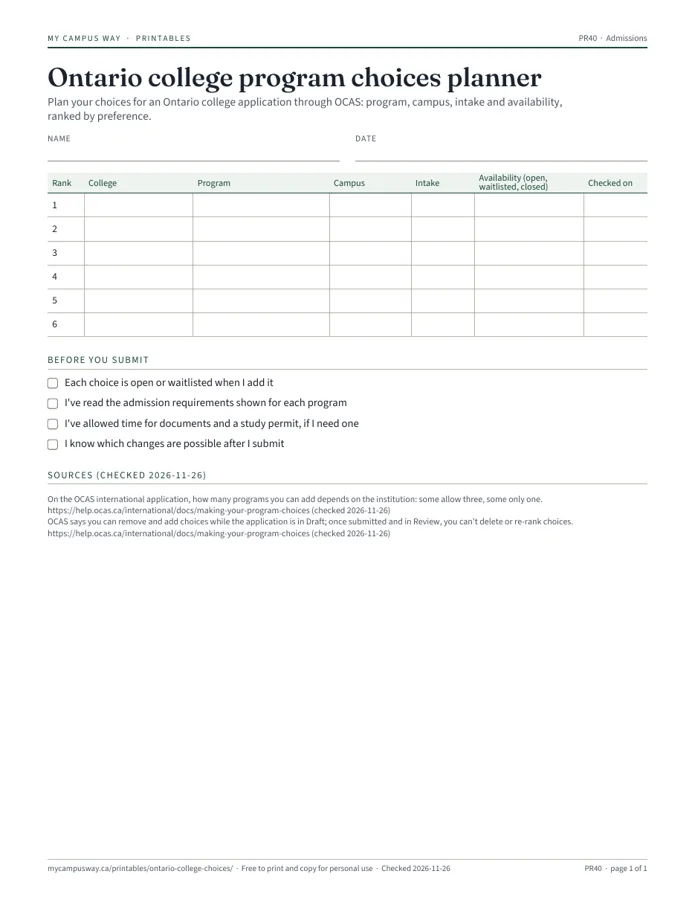
Plan your choices for an Ontario college application through OCAS: program, campus, intake and availability, ranked by preference.
Download
- PDF, US Letter (fillable) · 58 KB
- PDF, A4 (fillable) · 59 KB
- Word (.docx), editable · 38 KB
- Excel (.xlsx), editable · 7 KB
The PDFs have fill-in boxes you can type into in a PDF reader, or print and write by hand. Both sizes print without scaling. The Word and Excel files are yours to change. Nothing is sent to us.
How to use it
- Look up each program in the application system and write its status and the date you checked.
- Rank by real preference.
- While your application is a draft you can change choices; after you submit, changes are limited.
- Watch your email and the portal for decisions.
What's on the sheet
Table
- Columns: Rank, College, Program, Campus, Intake, Availability (open, waitlisted, closed), Checked on
- Rows: 1, 2, 3, 4, 5, 6
Before you submit
- Each choice is open or waitlisted when I add it
- I've read the admission requirements shown for each program
- I've allowed time for documents and a study permit, if I need one
- I know which changes are possible after I submit
Sources
- On the OCAS international application, how many programs you can add depends on the institution: some allow three, some only one. Source · checked 2026-11-26
- OCAS says you can remove and add choices while the application is in Draft; once submitted and in Review, you can't delete or re-rank choices. Source · checked 2026-11-26