Admissions · tracker · PR30
Reference letter tracker
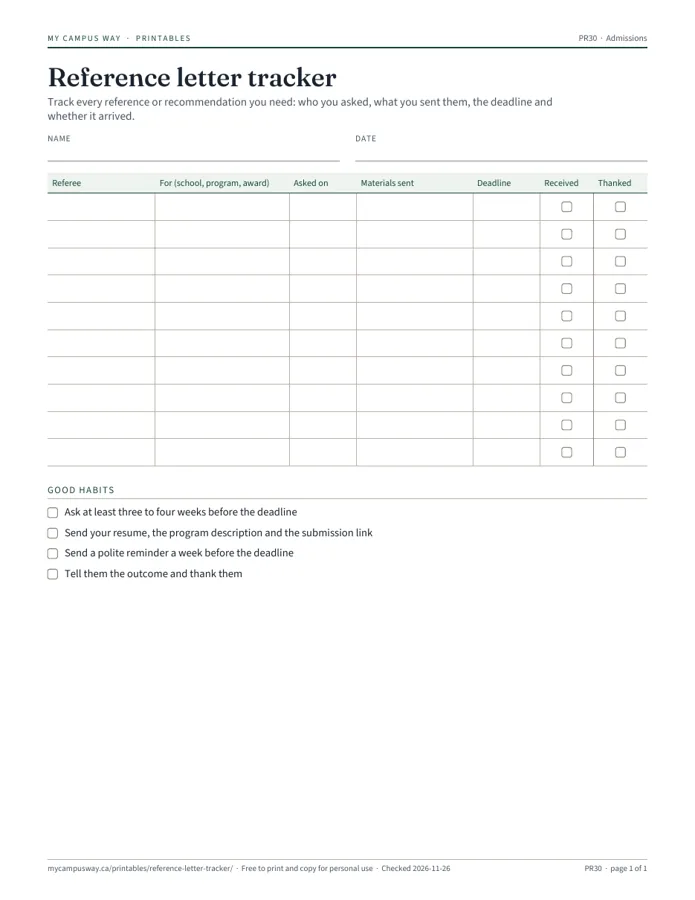
Track every reference or recommendation you need: who you asked, what you sent them, the deadline and whether it arrived.
Online companions in the toolkit: Reference request email (TK182) · Reference request pack: information sheet for your referee (TK443) · Reference list template (TK296).
Download
- PDF, US Letter (fillable) · 76 KB
- PDF, A4 (fillable) · 77 KB
- Word (.docx), editable · 38 KB
- Excel (.xlsx), editable · 7 KB
The PDFs have fill-in boxes you can type into in a PDF reader, or print and write by hand. Both sizes print without scaling. The Word and Excel files are yours to change. Nothing is sent to us.
How to use it
- Add each referee as soon as you know who you'll ask.
- Note exactly what you sent so you don't have to ask again.
- Check the portal to confirm each letter arrived before the deadline.
- Thank every referee, whatever the result.
What's on the sheet
Table
- Columns: Referee, For (school, program, award), Asked on, Materials sent, Deadline, Received, Thanked
- 10 blank rows
Good habits
- Ask at least three to four weeks before the deadline
- Send your resume, the program description and the submission link
- Send a polite reminder a week before the deadline
- Tell them the outcome and thank them
Prefer to type the numbers in? Reference request email (online template) · Reference request pack: information sheet for your referee (online template) · Reference list template (online template)