Study · worksheet · PR411
Course review notes: outlines, reviews and the tools I'll use
Before you enrol, compare what the outline says with what other students report, then list the study tools each course needs.
Online companion in the toolkit: Course load and weekly hours planner (TK31).
Download
- PDF, US Letter (fillable) · 82 KB
- PDF, A4 (fillable) · 83 KB
- Word (.docx), editable · 38 KB
- Excel (.xlsx), editable · 8 KB
The PDFs have fill-in boxes you can type into in a PDF reader, or print and write by hand. Both sizes print without scaling. The Word and Excel files are yours to change. Nothing is sent to us.
How to use it
- List the courses you're considering.
- Read the outline first, then a few reviews.
- Note workload and marking for each.
- List and set up the tools each course needs.
What's on the sheet
What I found
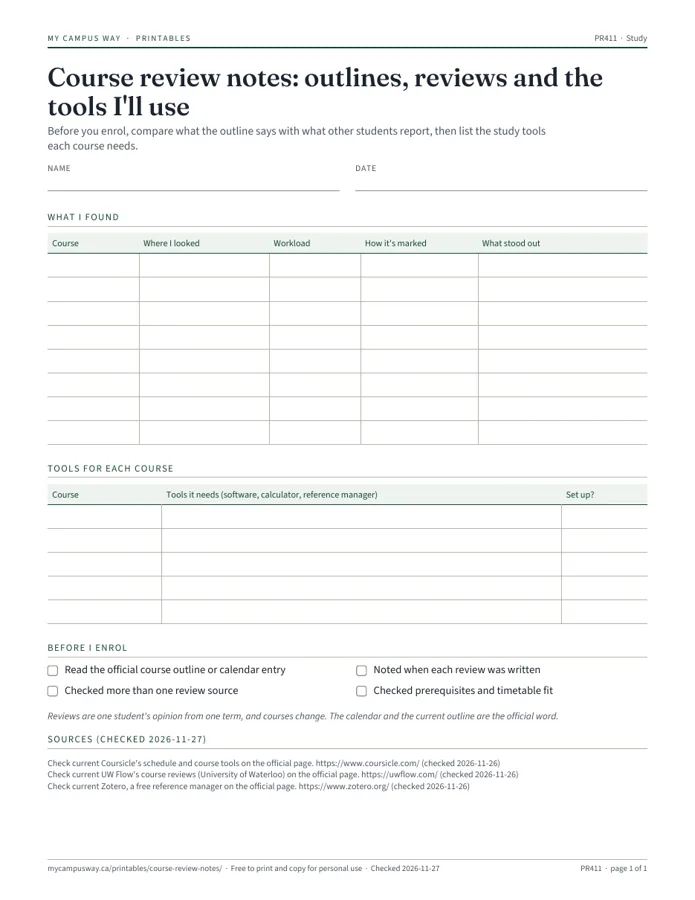
- Columns: Course, Where I looked, Workload, How it's marked, What stood out
- 8 blank rows
Tools for each course
- Columns: Course, Tools it needs (software, calculator, reference manager), Set up?
- 5 blank rows
Before I enrol
- Read the official course outline or calendar entry
- Checked more than one review source
- Noted when each review was written
- Checked prerequisites and timetable fit
Sources
- Check current Coursicle's schedule and course tools on the official page. Source · checked 2026-11-26
- Check current UW Flow's course reviews (University of Waterloo) on the official page. Source · checked 2026-11-26
- Check current Zotero, a free reference manager on the official page. Source · checked 2026-11-26
Prefer to type the numbers in? Course load and weekly hours planner (online calculator)