Study · worksheet · PR3
Backwards planning worksheet
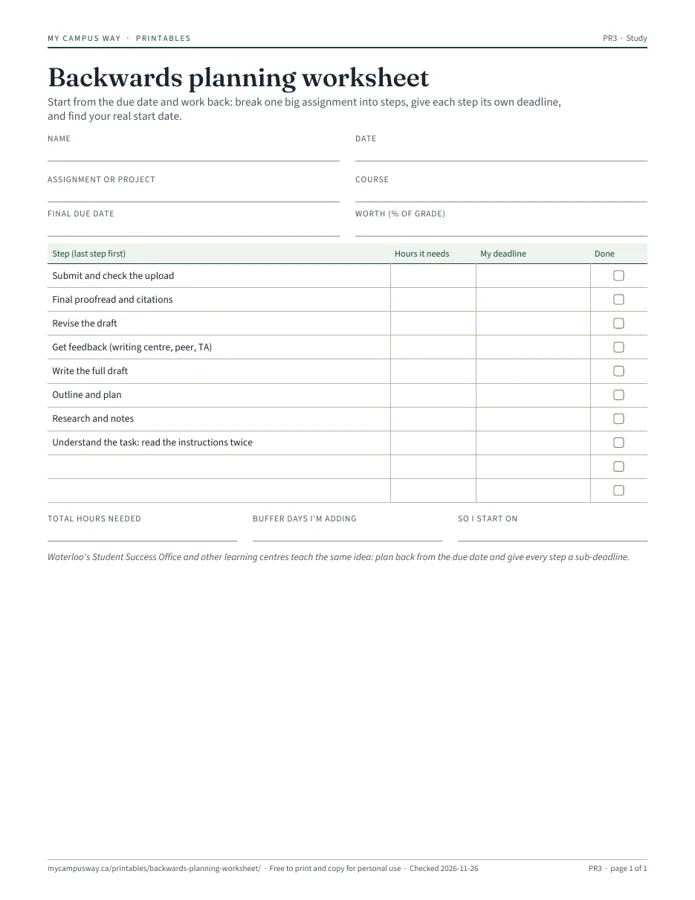
Start from the due date and work back: break one big assignment into steps, give each step its own deadline, and find your real start date.
Online companion in the toolkit: Backwards planner for assignments (TK326).
Download
- PDF, US Letter (fillable) · 66 KB
- PDF, A4 (fillable) · 66 KB
- Word (.docx), editable · 38 KB
- Excel (.xlsx), editable · 6 KB
The PDFs have fill-in boxes you can type into in a PDF reader, or print and write by hand. Both sizes print without scaling. The Word and Excel files are yours to change. Nothing is sent to us.
How to use it
- Write the final due date first, then fill the steps from the bottom of the list up.
- Estimate hours for each step honestly, then add one or two buffer days.
- Put each step's deadline in your calendar today.
- Tick steps as you finish; if one slips, move only the next deadline, not the final one.
What's on the sheet
Fill in
- Assignment or project
- Course
- Final due date
- Worth (% of grade)
Table
- Columns: Step (last step first), Hours it needs, My deadline, Done
- Rows: Submit and check the upload, Final proofread and citations, Revise the draft, Get feedback (writing centre, peer, TA), Write the full draft, Outline and plan, Research and notes, Understand the task: read the instructions twice
Fill in
- Total hours needed
- Buffer days I'm adding
- So I start on
Prefer to type the numbers in? Backwards planner for assignments (online calculator)