Arrival · checklist · PR297
T2202 explainer card
What each box on your T2202 Tuition and Enrolment Certificate means, from CRA's own page, and what to check before you file. Your school issues it; download it from your student portal.
Printable version of TK352 in the refreshed design. The original stays on the toolkit: open the TK352 toolkit page.
Download
- PDF, US Letter (fillable) · 46 KB
- PDF, A4 (fillable) · 46 KB
- Word (.docx), editable · 38 KB
- Excel (.xlsx), editable · 8 KB
The PDFs have fill-in boxes you can type into in a PDF reader, or print and write by hand. Both sizes print without scaling. The Word and Excel files are yours to change. Nothing is sent to us.
How to use it
- Same content as the toolkit original, in the printables design.
- Tick or fill it in on screen (PDF) or print it.
- The original stays available on its toolkit page.
What's on the sheet
The boxes
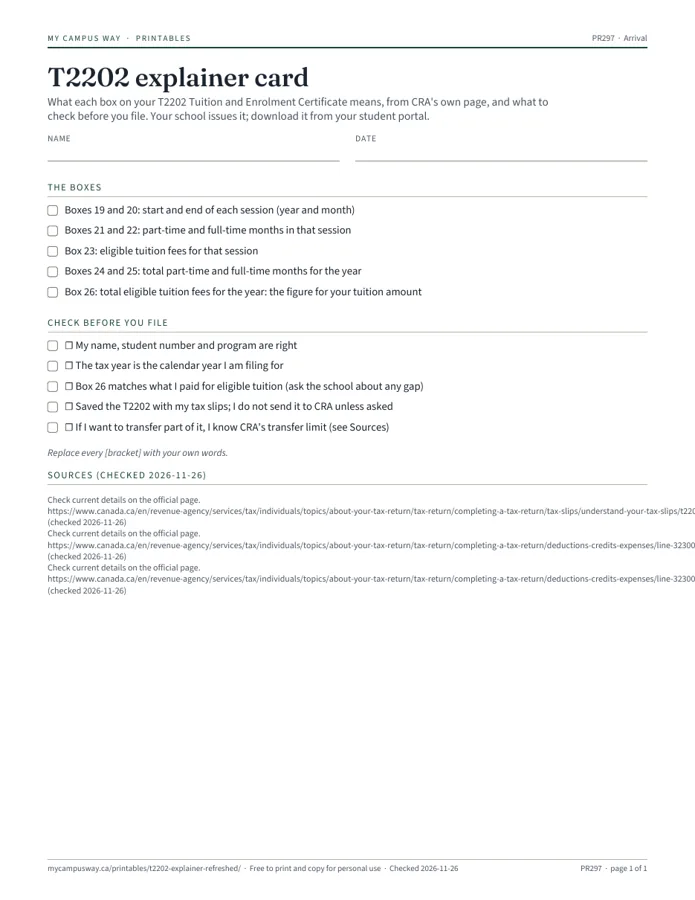
- Boxes 19 and 20: start and end of each session (year and month)
- Boxes 21 and 22: part-time and full-time months in that session
- Box 23: eligible tuition fees for that session
- Boxes 24 and 25: total part-time and full-time months for the year
- Box 26: total eligible tuition fees for the year: the figure for your tuition amount
Check before you file
- ☐ My name, student number and program are right
- ☐ The tax year is the calendar year I am filing for
- ☐ Box 26 matches what I paid for eligible tuition (ask the school about any gap)
- ☐ Saved the T2202 with my tax slips; I do not send it to CRA unless asked
- ☐ If I want to transfer part of it, I know CRA's transfer limit (see Sources)