Money · checklist · PR487
NSLSC confirm-enrolment and official-mail checklist
Keep your Canada student loan in good standing: confirm enrolment when you go back to school and check that NSLSC messages are real before you answer them.
Download
- PDF, US Letter (fillable) · 60 KB
- PDF, A4 (fillable) · 61 KB
- Word (.docx), editable · 39 KB
- Excel (.xlsx), editable · 8 KB
The PDFs have fill-in boxes you can type into in a PDF reader, or print and write by hand. Both sizes print without scaling. The Word and Excel files are yours to change. Nothing is sent to us.
How to use it
- Sign in to My Service Canada Account and open your NSLSC account.
- Confirm enrolment for each term you study, and keep the date.
- Check any message about your loan inside your account before you reply or pay.
What's on the sheet
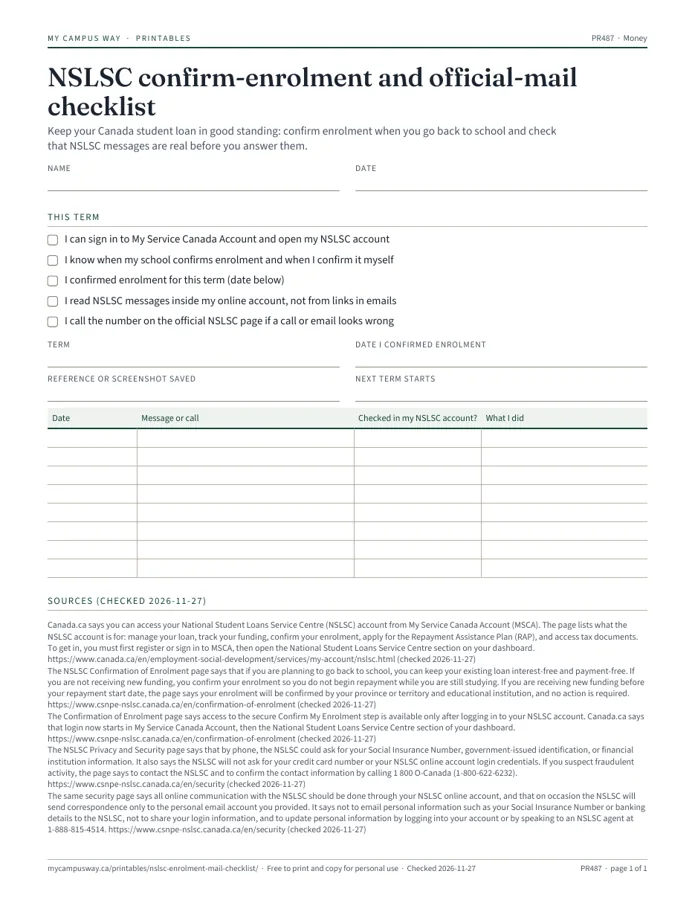
This term
- I can sign in to My Service Canada Account and open my NSLSC account
- I know when my school confirms enrolment and when I confirm it myself
- I confirmed enrolment for this term (date below)
- I read NSLSC messages inside my online account, not from links in emails
- I call the number on the official NSLSC page if a call or email looks wrong
Fill in
- Term
- Date I confirmed enrolment
- Reference or screenshot saved
- Next term starts
Table
- Columns: Date, Message or call, Checked in my NSLSC account?, What I did
- 8 blank rows
Sources
- Canada.ca says you can access your National Student Loans Service Centre (NSLSC) account from My Service Canada Account (MSCA). The page lists what the NSLSC account is for: manage your loan, track your funding, confirm your enrolment, apply for the Repayment Assistance Plan (RAP), and access tax documents. To get in, you must first register or sign in to MSCA, then open the National Student Loans Service Centre section on your dashboard. Source · checked 2026-11-27
- The NSLSC Confirmation of Enrolment page says that if you are planning to go back to school, you can keep your existing loan interest-free and payment-free. If you are not receiving new funding, you confirm your enrolment so you do not begin repayment while you are still studying. If you are receiving new funding before your repayment start date, the page says your enrolment will be confirmed by your province or territory and educational institution, and no action is required. Source · checked 2026-11-27
- The Confirmation of Enrolment page says access to the secure Confirm My Enrolment step is available only after logging in to your NSLSC account. Canada.ca says that login now starts in My Service Canada Account, then the National Student Loans Service Centre section of your dashboard. Source · checked 2026-11-27
- The NSLSC Privacy and Security page says that by phone, the NSLSC could ask for your Social Insurance Number, government-issued identification, or financial institution information. It also says the NSLSC will not ask for your credit card number or your NSLSC online account login credentials. If you suspect fraudulent activity, the page says to contact the NSLSC and to confirm the contact information by calling 1 800 O-Canada (1-800-622-6232). Source · checked 2026-11-27
- The same security page says all online communication with the NSLSC should be done through your NSLSC online account, and that on occasion the NSLSC will send correspondence only to the personal email account you provided. It says not to email personal information such as your Social Insurance Number or banking details to the NSLSC, not to share your login information, and to update personal information by logging into your account or by speaking to an NSLSC agent at 1-888-815-4514. Source · checked 2026-11-27