Co-op · planner · PR464
Co-op ranking and interview sprint planner
Plan interviews and rank employers in the order your campus co-op portal asks for. Copy ranking windows only from the portal or your co-op office.
Download
- PDF, US Letter (fillable) · 95 KB
- PDF, A4 (fillable) · 96 KB
- Word (.docx), editable · 38 KB
- Excel (.xlsx), editable · 8 KB
The PDFs have fill-in boxes you can type into in a PDF reader, or print and write by hand. Both sizes print without scaling. The Word and Excel files are yours to change. Nothing is sent to us.
How to use it
- Copy the ranking window from your portal.
- Log every interview as it is booked.
- Draft ranks privately, then enter them in the portal.
- Save the confirmation when you submit.
What's on the sheet
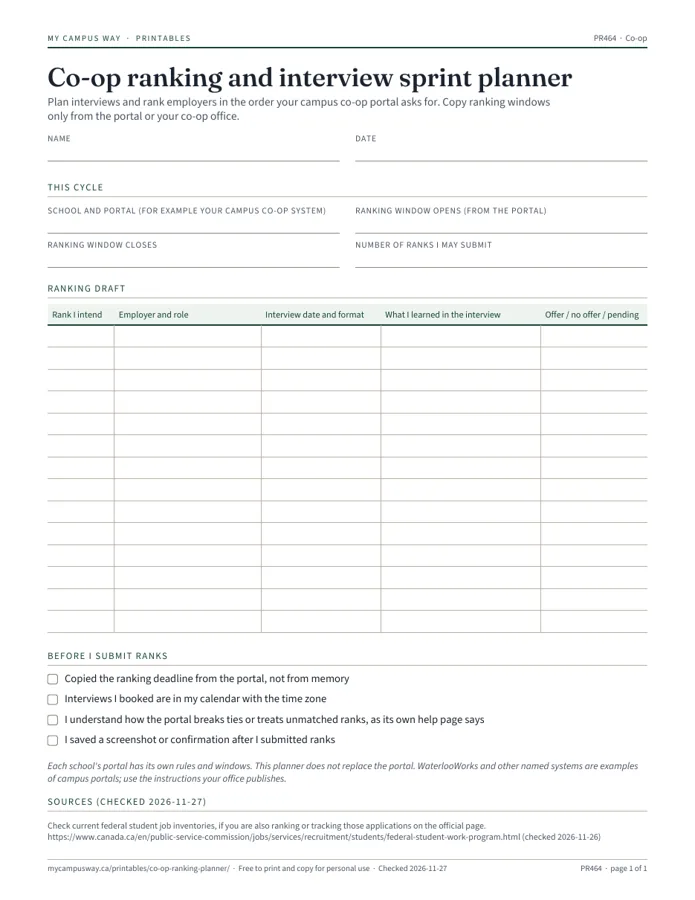
This cycle
- School and portal (for example your campus co-op system)
- Ranking window opens (from the portal)
- Ranking window closes
- Number of ranks I may submit
Ranking draft
- Columns: Rank I intend, Employer and role, Interview date and format, What I learned in the interview, Offer / no offer / pending
- 14 blank rows
Before I submit ranks
- Copied the ranking deadline from the portal, not from memory
- Interviews I booked are in my calendar with the time zone
- I understand how the portal breaks ties or treats unmatched ranks, as its own help page says
- I saved a screenshot or confirmation after I submitted ranks
Sources
- Check current federal student job inventories, if you are also ranking or tracking those applications on the official page. Source · checked 2026-11-26