Money · checklist · PR437
Quebec AFE calculation simulator prep
Gather the figures Quebec's official Loans and Bursaries simulator asks for, run the 2026-2027 simulator, and record the result with the date. The official page says the result is not a commitment.
Download
- PDF, US Letter (fillable) · 62 KB
- PDF, A4 (fillable) · 63 KB
- Word (.docx), editable · 39 KB
- Excel (.xlsx), editable · 8 KB
The PDFs have fill-in boxes you can type into in a PDF reader, or print and write by hand. Both sizes print without scaling. The Word and Excel files are yours to change. Nothing is sent to us.
How to use it
- Open the official simulator linked from this sheet.
- Select the award year that matches your studies.
- Enter only figures you can support.
- Write the result and the date, then ask your school's aid office if you need a closer check.
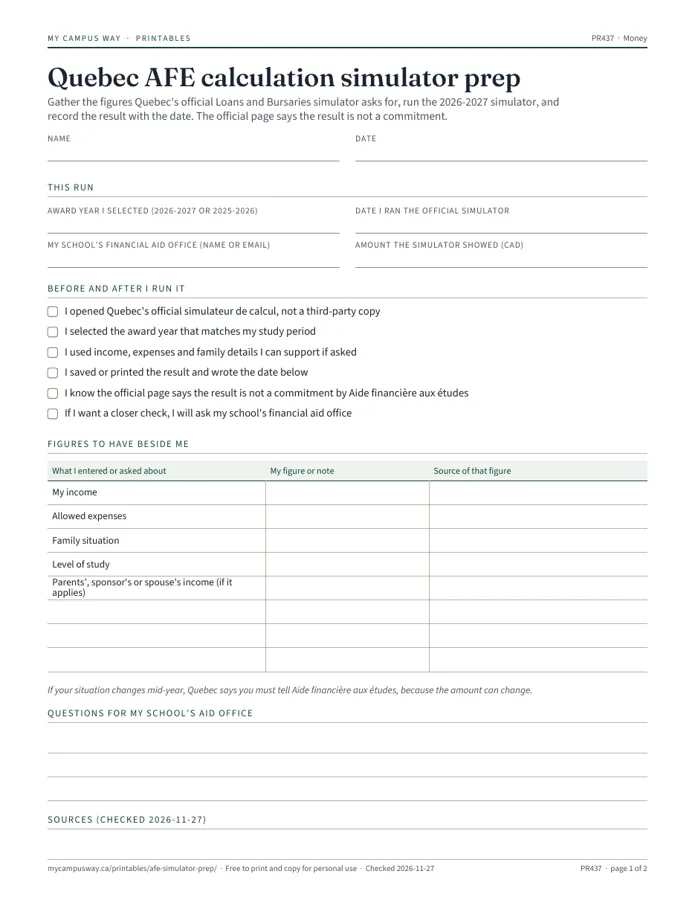
What's on the sheet
This run
- Award year I selected (2026-2027 or 2025-2026)
- Date I ran the official simulator
- My school's financial aid office (name or email)
- Amount the simulator showed (CAD)
Before and after I run it
- I opened Quebec's official simulateur de calcul, not a third-party copy
- I selected the award year that matches my study period
- I used income, expenses and family details I can support if asked
- I saved or printed the result and wrote the date below
- I know the official page says the result is not a commitment by Aide financière aux études
- If I want a closer check, I will ask my school's financial aid office
Figures to have beside me
- Columns: What I entered or asked about, My figure or note, Source of that figure
- Rows: My income, Allowed expenses, Family situation, Level of study, Parents', sponsor's or spouse's income (if it applies)
Questions for my school's aid office
- 3 lines to write on
Sources
- Quebec's Aide financière aux études says the calculation simulator lets you see the amount that could be granted under the Loans and Bursaries Program, and that the results must not in any case be interpreted as a commitment by Aide financière aux études. Source · checked 2026-11-27
- The official page links a simulator for 2026-2027, and a separate simulator for 1 September 2025 to 31 August 2026. Quebec says you should select the right award year because the calculation parameters can change from year to year, and that staff at your school's financial aid office can help you run a more precise simulation or check the results. Source · checked 2026-11-27
- Quebec says the calculation is based on your income, allowed expenses, family situation, level of study and, as applicable, your parents', sponsor's or spouse's income. Source · checked 2026-11-27
- Quebec says that if your financial need does not exceed the loan amount set for your level of study, you receive aid as a loan only, and that if it exceeds that amount you also receive a bursary. Source · checked 2026-11-27